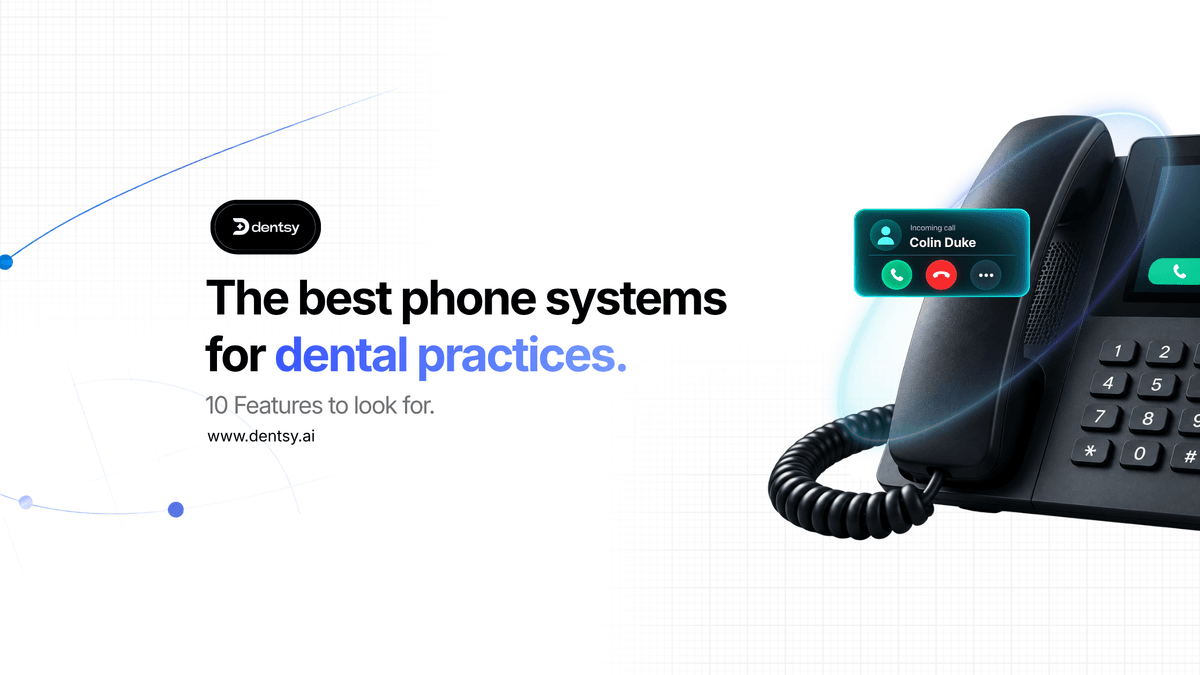
Your phone system affects far more than whether a patient can make contact with your dental practice.
It influences how quickly calls are answered, how efficiently reception teams work, how accurately patient conversations are recorded and how effectively new inquiries are converted into appointments.
For a busy dental practice, every call matters.
The person calling could be a new patient looking to register, an existing patient trying to rearrange an appointment, someone inquiring about private treatment or a patient who needs urgent assistance.
By handling those calls efficiently, the practice can deliver a better patient experience and protect valuable appointment opportunities. When calls are missed, notes are incomplete or follow-up actions are forgotten, frustrated patients may look elsewhere.
Choosing the best phone system for your dental practice is not simply an IT decision. It can affect patient satisfaction, team productivity and the commercial performance of the practice.
But with so many business phone systems available, how do you decide which one is right for your team?
In this guide, we examine the most important features to look for when comparing phone systems for dental practices.
What makes a dental practice phone system different?
A standard business phone system allows employees to make, receive, hold and transfer calls.
A dental practice phone system should do much more.
Dental reception teams manage a constant flow of conversations involving new patients, existing patients, clinicians, suppliers and referral partners.
These conversations may relate to:
- New patient registrations
- Routine appointments
- Emergency appointment requests or ‘urgent unscheduled dental care’
- Cancellations and rearrangements
- Treatment inquiries
- Referrals
- Payment questions
- Post treatment concerns
- Messages for clinicians
- Follow-up actions
At the same time, receptionists may be greeting patients at the desk, updating records, managing diaries and supporting clinicians.
The best phone systems for dental practices should connect calls with the wider patient journey.
Instead of treating every conversation as an isolated call, the system should help your team identify the patient, access the correct record, understand the reason for the call, record what was discussed and complete the appropriate next action.
10 features your phone system should offer
1. Does it intregate with your dental practice management system?
Integration with your practice management system, or PMS, should be one of the first things you investigate.
Without an integration, your phone system and patient records operate as separate platforms.
When a patient calls, a receptionist may need to ask for their details, search for their record, switch between systems and manually enter notes once the conversation ends.
Repeated across an entire day, this creates a significant amount of administration.
It also increases the risk of:
- Calls being linked to the wrong patient
- Important information being entered incorrectly
- Notes being incomplete
- Follow-up actions being forgotten
- Different team members recording calls inconsistently
- Information being stored in separate systems
A properly integrated dental phone system can connect calls with the correct patient record and practice workflow.
Depending on the system and the depth of the integration, it may be able to:
- Identify an existing patient automatically
- Display relevant patient information
- Open the correct patient record in one click
- Log incoming and outgoing calls
- Add call notes and summaries
- Record the outcome of the conversation
- Flag required follow-up actions
- Connect calls with appointments
Before choosing a provider, ask how its PMS integration works. Some providers may describe a basic contact-directory connection as a complete integration. Others offer deeper functionality that connect calls with patients, appointments, notes and next steps.
The phone system should work with the software your practice already uses and reduce duplicate administration rather than creating another platform for the team to manage.
2. Can the receptionist see instant patient information before the call begins?
When an existing patient calls, your reception team should not always have to begin by working out who they are.
A smart caller pop-up can display useful information before the call is answered.
Depending on the PMS integration and the permissions in place, this could include:
- The patient’s name
- Their contact details
- Their next appointment
- Their previous appointment
- Linked patient or family record
- Relevant account information
- Their recent contact history
This allows the receptionist to answer the call with more context.
Rather than asking the patient to repeat information the practice already holds, the team member can move more quickly towards resolving the inquiry.
For example, the receptionist may immediately be able to see that the patient has an appointment later that week or recently contacted the practice about a particular issue.
Instant caller information can be especially valuable for dental groups, practices with large patient lists and teams where different receptionists may speak to the same patient.
It helps the practice provide a faster and more consistent experience, regardless of who answers the phone.
When comparing phone systems for dental practices, ask what information the caller pop-up displays and how quickly the team can access the full patient record.
3. Can the system handle intelligent call routing and queue management?
Not every caller needs to speak to the same person.
A new patient inquiry may need to reach the reception or treatment coordinator team, while a supplier call may need to be directed elsewhere.
The right dental practice phone system should help calls reach the most appropriate person or team without making the caller navigate an unnecessarily complicated menu.
Useful call management features may include:
- Custom call routing
- Call queues
- Ring groups
- Department options
- Opening hours routing
- Out of hours messages
- Overflow rules
- Call transfers
- Voicemail handling
- Mobile or remote call access
The setup should reflect the way your practice actually operates.
For example, calls might be routed differently during lunch, on training days, outside normal opening hours or when the reception team is already handling other patients.
For multi-site groups, routing may also allow another practice or central team to help them reach the right destination as quickly as possible.
Ask the provider how easily call flows can be changed and whether your practice will need to contact support every time it wants to update an opening time, greeting or routing rules.
4. Does it automatically record and transcribe calls?
Call recording can be valuable for training, quality assurance, complaint management and confirming important details.
However, finding one piece of information within a lengthy recording can still be time-consuming.
An AI-enabled dental phone system can go further by automatically transcribing conversations.
This provides an authorised team member with a searchable written record of what was discussed.
For example, the practice may need to confirm:
- The appointment time discussed with patient
- The treatment the caller inquired about
- Whether a cancellation was requested
- What follow-up the receptionist promised
- The details provided during a complaint
- Whether the patient asked to speak to a clinician
- The next action agreed during the call
Rather than relying entirely on memory or listening to the full recording, the team can search or review the transcription.
When comparing providers, ask:
- Are incoming and outgoing calls recorded?
- Are calls transcribed automatically?
- How are recordings and transcriptions stored?
- How long are they retained?
- Who can access them?
- Can access be restricted by practice, department and role?
- Can specific information be found using keyword search?
The provider should also be able to explain its privacy, security and data-processing arrangements clearly.
5. Does it generate AI call summaries and PMS notes?
Manual call notes are one of the most repetitive administration tasks within a dental practice.
A receptionist may finish a call and immediately need to answer another patient, speak to someone at the front desk, or respond to an urgent request.
As a result, call notes can become brief, inconsistent or forgotten altogether.
The best AI phone systems for dental practices can automatically analyse a conversation and create a structured summary.
This may include:
- The reason for the call
- The important information discussed
- The treatment or appointment involved
- Questions asked by the patient
- The outcome of the conversation
- Actions agreed by the receptionist
- Required follow-up
- Recommended next steps
Where supported by the PMS integration, the summary or notes can then be connected with the correct patient record.
This reduces the need for the receptionist to type everything manually and creates a clearer communication history for the wider practice.
It also improves consistency.
Instead of every team member using a different note-taking style, patient calls can be documented in a structured and understandable format.
AI-generated notes should still support appropriate human oversight. Team members should be able to review information and make sure any important clinical or operational detail is handled correctly.
The technology should reduce repetitive administration, not remove professional judgement.
6. Does it track missed calls and callback management?
A missed call should not disappear into a general call log, since it could be:
- A new patient looking for a dentist
- A patient trying to book an emergency appointment
- A whitening or implant inquiry
- Someone attempting to cancel an appointment
- A patient trying to rearrange their visit
- A referral partner requesting an update
- An existing patient with a concern
- A caller comparing several local practices
If nobody returns the call promptly, that appointment or inquiry could be lost.
A modern dental phone system should make missed calls easy to identify, prioritise and return.
Useful features include:
- A central list of missed calls
- Identification of known patients
- The time and source of the call
- One-click callbacks
- Callback status
- Notes from the returned call
- The final outcome
- Reporting on calls that remain unreturned
It is important to distinguish between a missed call and an unresolved call.
A receptionist may attempt a callback but fails to reach the patient. Alternatively, the patient may already have contacted the practice through another route.
Tracking the eventual outcome gives managers a more accurate view than simply counting the number of unanswered calls.
It can also help the practice identify recurring coverage gaps, such as periods when calls are regularly missed during lunch shift changes or particularly busy sessions.
7. Does it track appointment and inquiry outcomes?
Traditional phone reports often focus on basic figures such as call volume, duration and answer rate.
The metrics can be helpful, but they do not tell practice owners what the calls achieved.
A modern dental practice phone system should help teams understand outcomes such as:
- New patient appointment booked
- Existing patient appointment booked
- Emergency appointment booked
- Appointment arranged
- Appointment cancelled
- Messages taken
- Call transferred
- Follow-up required
- Inquiry not converted
This connects phone activity with meaningful practice results.
For example, two practices may receive a similar number of new patient calls but produce very different numbers of booked appointments.
Without outcome tracking, that difference can be difficult to identify.
Conversion reporting can help practice owners and managers investigate:
- Which inquiry types lead to the most appointments
- Whether missed calls are being recovered
- Where potential patients leave the booking process
- Which times of day generate the most inquiries
- How different practices or teams perform
- Whether a marketing campaign is producing valuable calls
- Which treatment inquiries require more follow-up
This provides a clearer view of how patient conversations contribute to practice growth.
It also moves phone reporting away from activity alone and towards the outcomes that matter.
8. Does it offer click-to-dial and automatic outbound call logging?
A good PMS integration should support outgoing calls as well as incoming ones.
Click to dial allows an authorised team member to call a patient directly from their record without manually entering the telephone number.
It may seem like a small feature, but it can create a much smoother workflow and save time when repeated across a busy reception team.
Outbound calls may relate to:
- Appointment follow-up
- Waiting list availability
- Cancellations
- Treatment inquiries
- Referral updates
- Patient messages
- Missing information
- Unanswered inquiries
- Payment or account questions
- Post appointment communication
The outgoing call should be logged against the correct patient wherever possible.
Where supported, it may also be recorded, transcribed and summarised in the same way as an incoming call.
This creates a more complete communication history and reduces the likelihood of an important conversation taking place without being recorded.
It also helps another team member understand what has already been discussed if the patient calls back later.
9. Does it provide performance insights, coaching and multi-practice reporting?
Call recordings are often reviewed only when a complaint occurs or a manager is investigating a specific problem.
An intelligent phone system can make call coaching more proactive by analysing conversations across the team and highlighting patterns.
Depending on the platform, this may include areas such as:
- Quality of the greeting
- Active listening
- Empathy and rapport
- Accuracy
- Understanding the reason for the call
- Explaining the next step
- Handling treatment inquiries
- Appointment booking
- Closing the conversation
- Patient sentiment
These insights should not replace management judgement.
Nevertheless, they can provide a more consistent starting point for coaching.
Managers may be able to identify strong calls worth sharing, team members who need additional support and stages of the conversation where appointments are being lost.
For a dental group, the system should also provide central reporting across different locations.
Reporting should ideally be filterable by:
- Practice
- Department
- Team member
- Date range
- Incoming or outgoing call
- Inquiry type
- Call outcome
- Missed call status
This helps group leaders compare performance, identify coverage gaps and make more informed decisions about staffing, training and processes.
The goal should be to improve patient communication and team confidence, not simply monitor employees.
Before introducing call scoring, practices should establish clear expectations, explain how the information will be used and make sure coaching remains fair and constructive.
10. Is AI call handling available 24/7?
Even a well-resourced dental practice cannot always answer every call immediately.
Calls may arrive:
- While receptionists are helping patients at the desk
- During busy appointment periods
- At lunchtime
- During staff training
- In the evening
- At the weekend
- When several patients call at once
An AI receptionist can provide an additional level of coverage by answering calls and completing agreed tasks when the reception team is unavailable.
Depending on the system, integration and configuration, an AI dental receptionist may be able to:
- Answer routine questions
- Capture new patient information
- Handle common appointment requests
- Book eligible appointments
- Rearrange or cancel appointments
- Take treatment inquiries
- Transfer selected calls
- Take structured messages
- Send confirmations
- Update the practice management system
- Share call summaries with the team
The AI receptionist should be configured around the practice’s actual processes.
It should use the practice’s preferred terminology, follow agreed booking rules and recognise when a call needs to be transferred or escalated to a person.
It should not attempt to make clinical decisions or replace the professional judgement of a dentist or trained member of staff.
The purpose is to support the reception team, provide additional coverage and reduce the number of opportunities lost when the practice cannot answer immediately.
Other questions to ask a dental phone system provider
Features are important, but the quality of the provider and its implementation process matter too.
Before choosing a dental practice phone system, ask the following questions.
Which practice management systems do you integrate with?
Confirm that the provider works with your current PMS and ask for a clear demonstration of the integration.
Do not assume that every integration offers the same functionality.
Ask which information can be displayed, what can be written back to the patient record and whether features differ between systems.
How will the system be implemented?
Ask how long installation normally takes, what information the provider needs and how disruption will be minimised.
The provider should explain number transfers, call routing, user setup, handset installation and testing.
Is training included?
Ask whether the provider offers training for receptionists, managers and administrators.
Training should cover everyday call handling as well as reporting, missed-call workflows and any AI features.
What support is available?
Find out where the support team is based, and when it is available.
Ask whether you will speak directly with a trained support team or need to rely on an online knowledge base.
How is patient information protected?
The provider should be able to explain its security measures, data-processing arrangements, access permissions and retention controls.
Your practice should understand where recordings and transcriptions are stored, who can access them and how information is managed when it is no longer required.
What happens if the internet connection fails?
Modern cloud and dental VoIP phone systems depend on a reliable internet connection.
Ask what resilience, backup, rerouting and continuity options are available if the main connection or practice location experiences a problem.
Can the system support remote and mobile working?
Authorised employees may occasionally need to make or receive practice calls away from the main reception desk.
Ask whether the system supports appropriate mobile or desktop applications while retaining the correct practice number and call records.
Can it support multiple practices?
For dental groups, ask whether users, numbers, call flows and reporting can be managed centrally.
The right system should allow new practices and employees to be added without requiring an entirely separate setup for every location.
Can we retain our existing numbers?
Changing a well-established practice number can create unnecessary disruption.
Confirm whether your current numbers can be transferred and ask how the provider will manage the process.
How Dentsy Supports Dental Practices
Dentsy is an AI phone system designed specifically for dental practices.
Unlike a standard business phone system, Dentsy connects patient calls with the systems and workflows your team uses every day.
When an existing patient calls, a smart pop-up displays useful information from the practice management system, helping the team understand who is calling before the conversation begins. The correct patient record can then be opened in one click, reducing the need to search manually while the patient waits.
Every call can be automatically recorded, transcribed, and summarised using AI. Important details, agreed actions, and follow-up requirements are captured clearly, helping the wider team understand what was discussed.
Where supported by the integration, notes can be added to the patient file automatically. This reduces repetitive administration and creates a more consistent record of patient conversations across the practice.
Dentsy also helps dental teams:
- Identify and return missed calls
- Track whether inquiries become appointments
- Review call recordings, transcriptions, and summaries
- Understand patient sentiment
- Monitor call handling across the practice
- Support reception teams with performance insights
- Compare activity across multiple practices
- Access calls and reporting from one central platform
This gives practice owners and managers greater visibility than traditional phone reports, which often show only call volumes, durations, and answer rates.
Instead of simply knowing how many calls took place, practices can better understand why patients called, what happened during the conversation, and whether the correct next action was completed.
Additional Support When Your Reception Team Is Unavailable
Dentsy also offers an AI Receptionist that can provide additional call coverage during busy periods and outside normal opening hours.
It can be configured around the processes of the practice and may be used to:
- Answer routine patient questions
- Capture new patient details
- Handle agreed appointment requests
- Rearrange or cancel eligible appointments
- Take treatment inquiries
- Transfer selected calls
- Take structured messages
- Send confirmations
- Keep the reception team informed about each conversation
The AI Receptionist is designed to support the existing team rather than replace it.
It provides another way for patients to receive a response when receptionists are helping someone at the desk, dealing with another call, or unavailable outside opening hours. Calls that need human attention can be transferred, escalated, or recorded for follow-up according to the practice’s agreed processes.
Choose a System That Improves What Happens After Every Call
The quality of a dental phone system should not be measured only by what happens while the phone is ringing.
The real value is in what happens next. Was the patient identified quickly, the conversation recorded accurately, and the appointment booked? Were the agreed actions completed? Can another member of the team understand what was discussed?
The best phone system connects your practice management system, reception workflows, and performance reporting. Dentsy helps practices deliver a more consistent patient experience while reducing pressure on their teams.
Discover how Dentsy can connect your patient calls, practice management system, and team performance. Book a live demo and free quotation today.